E-commerce Security Measures for Shoppers and Merchants
Explore key security measures for safe online shopping and e-commerce operations.
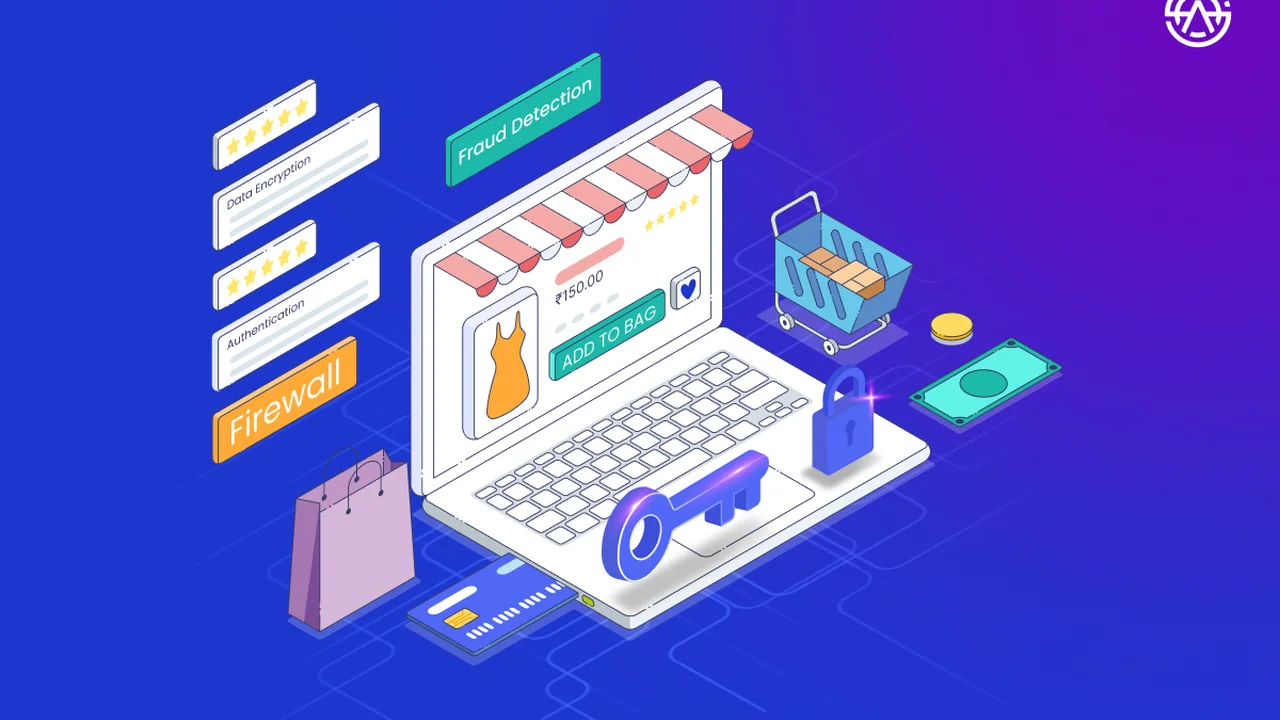
Explore key security measures for safe online shopping and e-commerce operations. This comprehensive guide covers essential practices for both shoppers and merchants, including secure payment gateways, fraud prevention, data encryption, and tips for identifying legitimate online stores. We'll delve into specific tools and strategies to protect your transactions and personal information in the digital marketplace.
E-commerce Security Measures for Shoppers and Merchants
Understanding E-commerce Security Why It Matters for Everyone
Online shopping has become an integral part of our daily lives, offering unparalleled convenience and access to a global marketplace. However, this digital convenience comes with inherent risks. E-commerce security isn't just a buzzword; it's a critical framework of technologies, protocols, and practices designed to protect sensitive information, prevent fraud, and ensure the integrity of online transactions. For shoppers, it means safeguarding your financial details and personal data. For merchants, it's about protecting your business reputation, customer trust, and revenue from cyber threats. Ignoring e-commerce security can lead to devastating consequences, from identity theft and financial losses for consumers to data breaches, legal penalties, and significant damage to a business's brand.Essential Security Measures for Online Shoppers Protecting Your Purchases and Data
As a shopper, you are the first line of defense against many online threats. Being aware and proactive can significantly reduce your risk. Here are the key measures you should always take:Secure Website Identification How to Spot a Legitimate Online Store
Before you even think about entering your payment details, verify the legitimacy of the website. Scammers often create convincing fake websites to trick unsuspecting buyers. Look for these indicators:- HTTPS Protocol: Always check that the website URL begins with `https://` and not just `http://`. The 's' stands for 'secure' and indicates that the connection between your browser and the website is encrypted. You should also see a padlock icon in your browser's address bar. Clicking on this padlock often reveals details about the site's security certificate.
- Domain Name Scrutiny: Carefully examine the domain name. Scammers often use slight misspellings of popular brands (e.g., `amaz0n.com` instead of `amazon.com`) or add extra words (e.g., `nike-store-official.com`). If it looks suspicious, it probably is.
- Contact Information and Policies: Legitimate websites will have clear contact information (phone number, email, physical address), transparent return policies, privacy policies, and terms of service. If these are missing or vague, proceed with extreme caution.
- Professional Design and Content: While not foolproof, poorly designed websites with numerous grammatical errors, low-resolution images, or inconsistent branding can be red flags.
- Customer Reviews and Reputation: Check independent review sites (like Trustpilot, Google Reviews) for feedback on the merchant. Be wary of sites with no reviews or only overwhelmingly positive, generic reviews.
Strong Passwords and Multi-Factor Authentication Your Digital Fortress
Your account password is the primary key to your online shopping identity. Make it strong and unique:- Complexity: Use a combination of uppercase and lowercase letters, numbers, and symbols. Avoid easily guessable information like birthdays or pet names.
- Uniqueness: Never reuse passwords across different websites. If one site is breached, all your accounts using that password become vulnerable.
- Password Managers: Consider using a reputable password manager (e.g., LastPass, 1Password, Bitwarden). These tools generate strong, unique passwords for you and store them securely, requiring you to remember only one master password.
- Multi-Factor Authentication (MFA): Whenever available, enable MFA (also known as two-factor authentication or 2FA). This adds an extra layer of security, typically requiring a code from your phone or a biometric scan in addition to your password. Even if a hacker gets your password, they can't access your account without the second factor.
Secure Payment Methods Choosing Wisely for Online Transactions
How you pay online significantly impacts your security and recourse options:- Credit Cards: Generally the safest option. Credit card companies offer strong fraud protection, often limiting your liability to $0 for unauthorized charges. They also provide chargeback mechanisms, allowing you to dispute fraudulent transactions.
- PayPal and Other Third-Party Payment Processors: Services like PayPal, Apple Pay, and Google Pay add an extra layer of security by acting as intermediaries. Your actual credit card or bank details are not directly shared with the merchant, reducing exposure. They also often have their own buyer protection policies.
- Virtual Credit Cards: Some banks and services offer virtual credit card numbers. These are temporary, single-use, or limited-use card numbers linked to your main account. If compromised, they limit the damage as they can't be used for subsequent transactions.
- Avoid Debit Cards: While convenient, debit cards offer less fraud protection than credit cards. Fraudulent charges can directly deplete your bank account, and recovering funds can be a longer, more difficult process.
- Never Use Wire Transfers or Gift Cards for Unknown Merchants: Scammers frequently request payment via wire transfer, gift cards, or cryptocurrency because these methods are often irreversible and untraceable. Legitimate businesses rarely ask for these payment types for standard purchases.
Public Wi-Fi Dangers and Secure Browsing Practices
Public Wi-Fi networks (in cafes, airports, hotels) are notoriously insecure. Avoid making purchases or accessing sensitive accounts while connected to them:- Data Interception: Public Wi-Fi networks are often unencrypted, making it easy for cybercriminals to intercept your data, including login credentials and payment information.
- Use a VPN: If you must use public Wi-Fi, always connect through a Virtual Private Network (VPN). A VPN encrypts your internet traffic, creating a secure tunnel between your device and the internet, even on an unsecured network.
- Keep Software Updated: Regularly update your operating system, web browser, and antivirus software. These updates often include critical security patches that protect against known vulnerabilities.
- Antivirus and Anti-Malware: Install and maintain reputable antivirus and anti-malware software on all your devices. Regularly scan for threats.
Monitoring Your Accounts Vigilance is Key
Even with the best precautions, breaches can happen. Regular monitoring is crucial:- Review Bank and Credit Card Statements: Regularly check your bank and credit card statements for any unauthorized or suspicious transactions. Report them immediately to your financial institution.
- Credit Monitoring: Consider signing up for a credit monitoring service, which alerts you to suspicious activity on your credit report.
- Email Alerts: Enable transaction alerts from your bank or credit card company to receive notifications for every purchase.
Robust Security Measures for E-commerce Merchants Building Trust and Preventing Fraud
For e-commerce merchants, security is not just a technical requirement; it's a fundamental business imperative. A single security incident can erode customer trust, lead to significant financial losses, and incur severe legal penalties. Here's how merchants can build a secure online store:PCI DSS Compliance The Gold Standard for Payment Security
If you process, store, or transmit credit card information, compliance with the Payment Card Industry Data Security Standard (PCI DSS) is non-negotiable. PCI DSS is a set of security standards designed to ensure that all companies that accept, process, store, or transmit credit card information maintain a secure environment. It includes requirements for:- Building and Maintaining a Secure Network: Installing and maintaining a firewall configuration to protect cardholder data, and not using vendor-supplied defaults for system passwords and other security parameters.
- Protecting Cardholder Data: Protecting stored cardholder data and encrypting transmission of cardholder data across open, public networks.
- Maintaining a Vulnerability Management Program: Using and regularly updating antivirus software, and developing and maintaining secure systems and applications.
- Implementing Strong Access Control Measures: Restricting access to cardholder data by business need-to-know, assigning a unique ID to each person with computer access, and restricting physical access to cardholder data.
- Regularly Monitoring and Testing Networks: Tracking and monitoring all access to network resources and cardholder data, and regularly testing security systems and processes.
- Maintaining an Information Security Policy: Maintaining a policy that addresses information security for all personnel.
Secure Payment Gateways and Processors Choosing Reliable Partners
Your choice of payment gateway and processor is critical. These services handle the sensitive task of processing customer payments. Look for providers that offer:- End-to-End Encryption: Ensures that payment data is encrypted from the moment it's entered until it reaches the payment processor.
- Tokenization: Replaces sensitive cardholder data with a unique, non-sensitive identifier (a 'token'). This token can be used for future transactions without exposing the actual card details.
- Fraud Detection Tools: Many gateways come with built-in fraud detection systems that analyze transactions for suspicious patterns.
- PCI DSS Compliance: Ensure your chosen gateway and processor are fully PCI DSS compliant.
Recommended Secure Payment Gateways for E-commerce Merchants:
1. Stripe:
- Overview: A highly popular and developer-friendly payment processing platform known for its robust security features and extensive API. It supports a wide range of payment methods and currencies.
- Key Security Features: PCI DSS Level 1 certified, tokenization, advanced fraud detection (Radar), 3D Secure 2 support, end-to-end encryption.
- Use Cases: Ideal for startups, growing businesses, and enterprises needing customizable payment solutions. Excellent for subscription services and marketplaces.
- Pros: Easy integration, comprehensive documentation, strong fraud tools, global reach, supports many payment types.
- Cons: Can be more expensive for very high volume or specific niche businesses, some advanced features require developer input.
- Pricing: Typically 2.9% + $0.30 per successful card transaction for online payments, with variations for international cards and specific payment methods.
2. PayPal (PayPal Payments Pro/PayPal Checkout):
- Overview: A globally recognized payment giant offering various solutions, from simple checkout buttons to fully integrated payment processing.
- Key Security Features: PCI DSS compliant, buyer and seller protection policies, advanced encryption, fraud prevention tools, 24/7 transaction monitoring.
- Use Cases: Great for businesses of all sizes, especially those targeting international customers who are familiar with PayPal. Good for quick setup.
- Pros: High brand recognition and trust, extensive buyer/seller protection, easy to use for customers, supports many currencies.
- Cons: Can have higher transaction fees for certain types of transactions, funds can sometimes be held, less customization than Stripe for some aspects.
- Pricing: Typically 2.99% + $0.49 per transaction for online payments, with different rates for in-person or international transactions.
3. Square:
- Overview: Best known for its POS systems, Square also offers comprehensive online payment processing solutions, often integrated with its e-commerce platform.
- Key Security Features: PCI DSS compliant, end-to-end encryption, fraud prevention, dispute management, data tokenization.
- Use Cases: Excellent for businesses that operate both online and offline, small to medium-sized businesses, and those looking for an all-in-one solution (POS, e-commerce, inventory).
- Pros: Seamless integration between online and offline sales, user-friendly interface, transparent pricing, good for small businesses.
- Cons: Less flexible for highly customized enterprise solutions, some users report account holds.
- Pricing: Typically 2.9% + $0.30 per online transaction.
4. Adyen:
- Overview: A global payment platform that provides end-to-end infrastructure, connecting directly to card networks. Favored by large enterprises.
- Key Security Features: PCI DSS Level 1 certified, advanced risk management (RevenueProtect), tokenization, 3D Secure, network tokenization.
- Use Cases: Large enterprises, global businesses, and companies with complex payment needs across multiple channels and geographies.
- Pros: Highly scalable, global reach, direct connections to card schemes, powerful fraud prevention, unified platform for all channels.
- Cons: More complex setup, generally geared towards larger businesses, not ideal for small startups.
- Pricing: Transaction fees vary significantly based on volume, payment method, and region. Typically a processing fee + payment method fee.
5. Braintree (a PayPal service):
- Overview: A payment gateway that offers more customization and flexibility than standard PayPal, often preferred by developers and larger e-commerce platforms.
- Key Security Features: PCI DSS Level 1 certified, tokenization, advanced fraud tools (Kount integration), 3D Secure, data encryption.
- Use Cases: Medium to large businesses, marketplaces, and platforms requiring highly customizable payment experiences and robust security.
- Pros: Highly customizable, strong security, supports many payment methods, good for mobile payments, global reach.
- Cons: Requires more technical expertise for integration, pricing can be less transparent than some competitors.
- Pricing: Typically 2.59% + $0.49 per transaction for standard online payments, with custom pricing for high volume.
SSL TLS Certificates Securing Data in Transit
An SSL/TLS certificate is fundamental for any e-commerce site. It encrypts the data exchanged between a customer's browser and your server, protecting sensitive information like login credentials and payment details from eavesdropping. Ensure your certificate is up-to-date and properly configured. Most modern hosting providers offer free SSL certificates (e.g., Let's Encrypt) or include them in their plans.Fraud Prevention Tools and Strategies Minimizing Risk
Fraud is a constant threat in e-commerce. Implementing robust fraud prevention measures is crucial:- Address Verification System (AVS): Checks if the billing address provided by the customer matches the address on file with the credit card issuer.
- Card Verification Value (CVV/CVC): The 3 or 4-digit security code on the back of a credit card. Requiring this helps ensure the cardholder physically possesses the card.
- 3D Secure (e.g., Verified by Visa, Mastercard SecureCode): An authentication protocol that adds an extra layer of security by requiring the cardholder to verify their identity with their bank during the transaction. The latest version, 3D Secure 2, offers a more seamless experience.
- Fraud Detection Software: Utilize specialized software (often integrated with payment gateways or as standalone solutions like Kount, Signifyd, Riskified) that uses machine learning and rule-based systems to identify and flag suspicious transactions. These tools analyze various data points, including IP address, shipping address, purchase history, and device fingerprinting.
- Manual Review: For high-risk orders flagged by automated systems, implement a manual review process. This might involve contacting the customer, verifying details, or checking public records.
- Velocity Checks: Monitor for unusual patterns like multiple transactions from the same IP address in a short period or numerous failed transaction attempts.
Data Encryption and Storage Protecting Sensitive Information
Beyond data in transit, data at rest (stored on your servers) must also be protected:- Encryption at Rest: Encrypt all sensitive customer data stored on your servers, including personal information and any partial payment details.
- Data Minimization: Only collect and store the data absolutely necessary for your business operations. The less data you store, the less risk you face in a breach.
- Secure Databases: Use secure, patched, and properly configured databases. Implement strong access controls to these databases.
- Regular Backups: Implement a robust backup strategy, ensuring that backups are encrypted and stored securely off-site.
Website Security Best Practices Regular Maintenance and Monitoring
Your e-commerce platform itself needs constant vigilance:- Regular Software Updates: Keep your e-commerce platform (e.g., Shopify, WooCommerce, Magento), plugins, themes, and server software (operating system, web server) up-to-date. Outdated software is a primary target for attackers.
- Web Application Firewall (WAF): Implement a WAF to protect your website from common web-based attacks like SQL injection, cross-site scripting (XSS), and DDoS attacks.
- Intrusion Detection/Prevention Systems (IDS/IPS): Monitor network traffic for malicious activity and block potential threats.
- Regular Security Audits and Penetration Testing: Periodically hire security professionals to conduct audits and penetration tests to identify vulnerabilities before attackers do.
- Strong Access Controls: Implement the principle of least privilege, ensuring employees only have access to the systems and data necessary for their roles. Use strong, unique passwords and MFA for all administrative accounts.
- Employee Training: Educate your staff about common cyber threats (phishing, social engineering) and best security practices. Employees are often the weakest link in a security chain.
- Incident Response Plan: Develop a clear plan for how to respond in the event of a security breach. This includes steps for containment, eradication, recovery, and communication with affected customers and authorities.
:max_bytes(150000):strip_icc()/277019-baked-pork-chops-with-cream-of-mushroom-soup-DDMFS-beauty-4x3-BG-7505-5762b731cf30447d9cbbbbbf387beafa.jpg)